Subject-matter experts
You have a body of work. You want to teach it without becoming a video editor. mobieusLearn assumes the expertise is the asset and gets out of the way.
Courses · · 8 min read
Why it matters
You have the expertise. People have asked, more than once, if you teach this anywhere. The outline has been sitting in a doc since spring. The last "course platform" you signed up for wanted a theme, a font, a payment processor, a hero image, an email sequence, and a webhook before it would let you write your first lesson. You closed the tab. The outline is still in the doc.
That gap, the one between subject-matter expertise and a finished course, is what mobieusLearn is built to close. It assumes the hard part is what you already have: a real point of view, taught by someone who has done the work. The tooling does not need to be the obstacle.
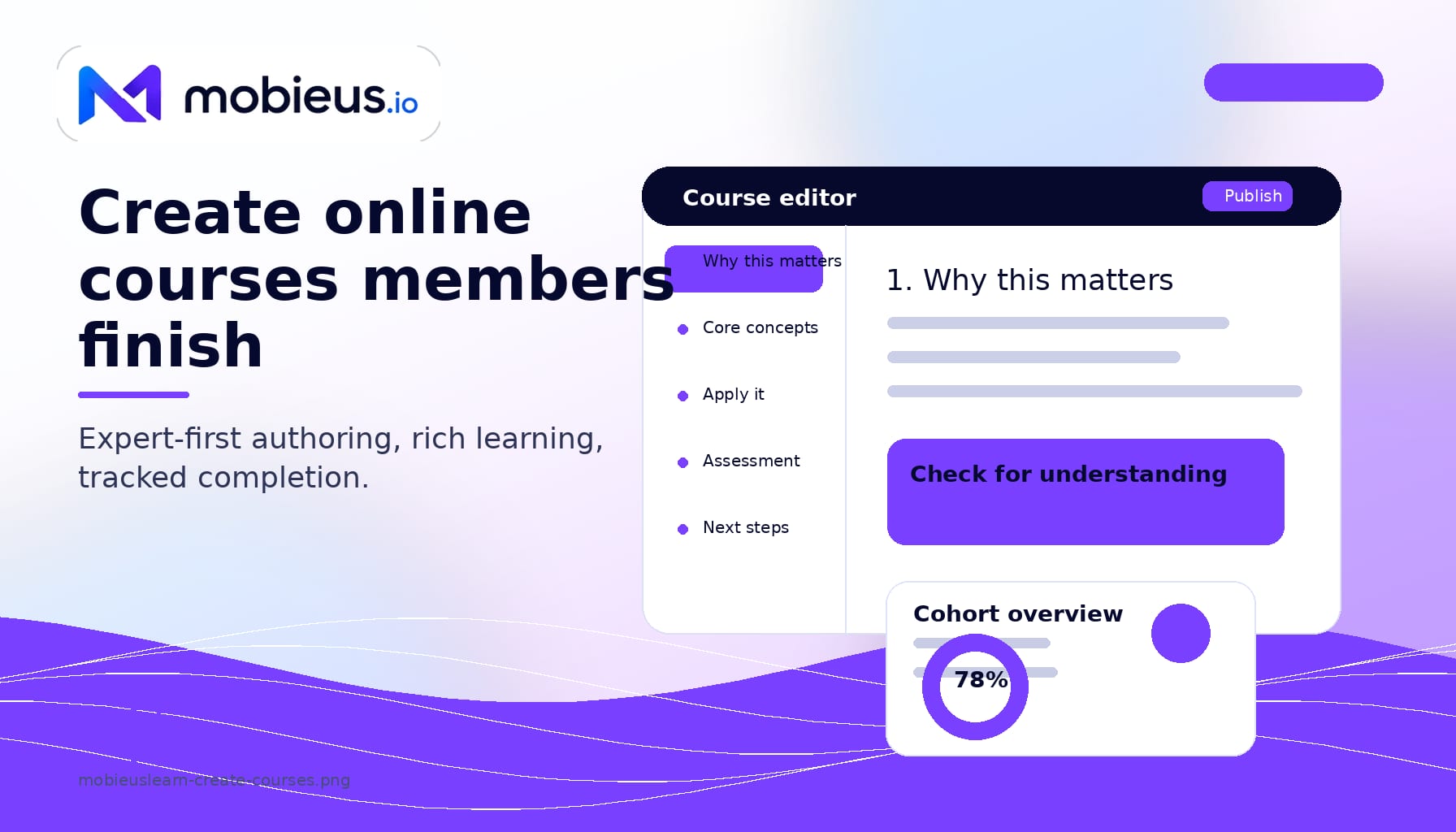
mobieusLearn was designed by a university professor who has spent a career teaching adults. That shows up in how the editor works. You think in concepts, not in scenes. Each lesson has a place for the explanation, a place for the example, and a place for the check-for-understanding. You write in the order your students will learn, not in the order a film crew would shoot.
There is no setup wizard. There is no "what kind of course is this" prompt. You open the editor, give the course a name, draft the first lesson, and publish when you are ready. Drafts auto-save as you type. Reordering lessons is a drag. Renaming a section ripples through the table of contents without breaking links.
The pedagogy underneath the editor borrows from Malcolm Knowles' work on andragogy, the study of how adults actually learn. Adults want to know why the material matters before they invest in learning it. They bring prior experience and want to connect new ideas to it. They prefer to learn things they can apply quickly. The editor surfaces those moments by default: every lesson has a "why this matters" slot, an "apply this" prompt, and a place to invite learners to share their own example in the discussion that lives next to the lesson.
A course built only out of text is a PDF. A course built only out of video is a lecture series. mobieusLearn lets you mix the formats your material actually needs.
You can drop in:
Everything renders cleanly on phones and tablets without you doing anything. Learners on the road can download lessons for offline access. Captions and transcripts can be added per video, which helps every learner, not just the ones who need them.
Course creation goes faster when you have an assistant who has read the syllabus. mobieusAI is that assistant, and it is optional. If you would rather write every word yourself, the editor works exactly as it did before you turned it on.
When you do turn it on, mobieusAI is grounded in your own mobieusKnow knowledge base. That matters. A generic AI assistant pulls from the open internet and produces plausible-sounding generic content. mobieusAI pulls from the reference library you have already built for your community, so its suggestions sound like you and cite material your members can verify.
Useful jobs to hand to the assistant:
Every draft the assistant produces lands in the editor, fully editable. Nothing publishes without your approval. You bring your own Anthropic key, which keeps the AI usage on your account and outside any Mobieus billing relationship.
"Are people learning anything?" is the question that matters once a course is live. A pile of video-watch percentages does not answer it. mobieusLearn gives a training coordinator the views that do.
Per-learner dashboards show where each person is in the course, which assessments they have passed, what they have skipped, and the last time they showed up. Cohort dashboards roll those up: completion rate, average assessment score, median time-to-completion, and the lessons where the most learners get stuck. When a lesson stalls a third of the cohort, you find out before the cohort does.
Completion data exports cleanly to CSV for the compliance binder. Certificates auto-issue when learners meet the criteria you set. Auto-enrollment can move a finishing learner into the next course in a sequence. Every state change is auditable, which matters in regulated industries and in any organization that takes training records seriously.
mobieusLearn does not sit off to the side as a separate app. It turns your community into a community platform with courses built in: the same account, the same identity, and the same billing as the rest of your community.
Specifically:
For a feature-by-feature reference on the LMS itself (SCORM 1.2 compliance, LTI 1.3, assessment types, rubrics, certificates), read the mobieusLearn full feature deep dive. The post you are reading is about how a course actually gets built and run.
On Pro, courses are free for your members and bundled into the community subscription. On Creator Plus and Sovereign, you sell them, so the same tenant runs both your courses and your community. The decision sits with you, per course.
The selling flow is direct. Create a course offer, pick a price, decide whether to include a preview lesson, decide whether buying the course also grants community membership, and publish. The course appears in a public catalog at /learn/courses on your community. Buyers go through Stripe Checkout connected to your Stripe account, not ours. Money lands in your bank account on Stripe's normal payout schedule. Mobieus takes zero platform fee on course revenue.
You can charge $19 for a single workshop, $499 for a cohort program, or $4,900 for a multi-month certificate. You can run early-bird pricing, cohort pricing, or annual pricing. You can bundle courses with a paid forum on the same tenant. See paid access forums for that setup. The pricing decisions are yours, and the revenue arithmetic is simple: what the buyer pays minus Stripe's processing fee is what you keep.
You have a body of work. You want to teach it without becoming a video editor. mobieusLearn assumes the expertise is the asset and gets out of the way.
Run cohort programs with structured lessons, accountability check-ins, certificates, and a private discussion space, without a separate course platform sitting next to your community.
Onboard staff, certify partners, satisfy compliance, and report on completion across cohorts from the same place your help desk and knowledge base already live.
| Tier | Course creation | Course sales |
|---|---|---|
| Starter | Not included | Not included |
| Pro | Included (free courses) | Not included |
| Creator Plus | Included | Sell unlimited, zero platform fees |
| Sovereign | Included | Sell unlimited, zero platform fees |
No. The editor is built for the person who knows the subject, not the person who builds courses for a living. If you can write a lesson plan in a doc, you can build it in mobieusLearn.
Yes, if they are SCORM 1.2 packages. Upload the package, attach it to a course, and the SCORM player handles the rest. Most major authoring tools can export SCORM 1.2. The technical specifics are in the mobieusLearn full feature reference.
It can draft, but the editorial decisions stay with you. The assistant is grounded in your mobieusKnow knowledge base so the drafts sound like your material, not like generic AI output. Every draft lands in the editor, fully editable, before anything publishes.
You set completion criteria per lesson (viewed, quiz passed, file submitted, minimum grade) and per course (all lessons complete, final assessment passed). When a learner meets the course-level criteria, the system marks them complete, issues a certificate if you have one configured, and can auto-enroll them in the next course in a sequence. The dashboard shows you who is where, in real time.